FAQ - Frequently Asked Questions
Ad: How to advertise on RealEscort?
How to Advertise on RealEscort
Interested in advertising on RealEscort and creating an ad? Here's how:
- You can use the same account login on all RealEscort sites.
Step 1
Start by creating a FREE user account. Use a valid email address, as you'll need to verify it before using the account. If you already have an account, skip to Step 3.
Click here to create a free user account.
Step 2
Log in to your new user account.
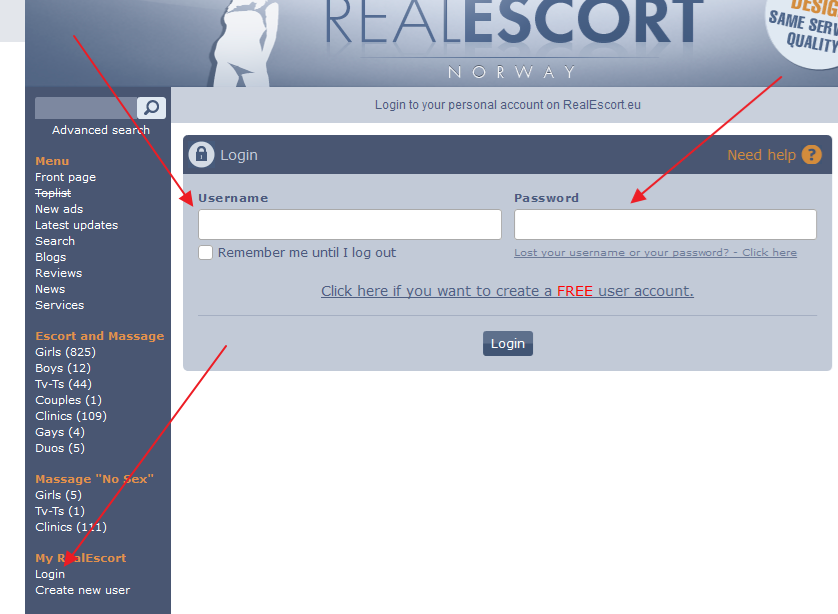
Step 3
Once logged in, click on "Dashboard", then "Create Ad". You can create multiple ads with one account.
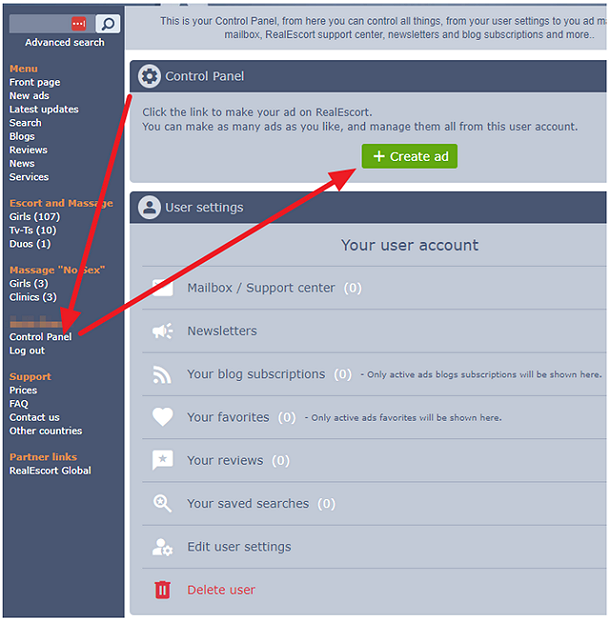
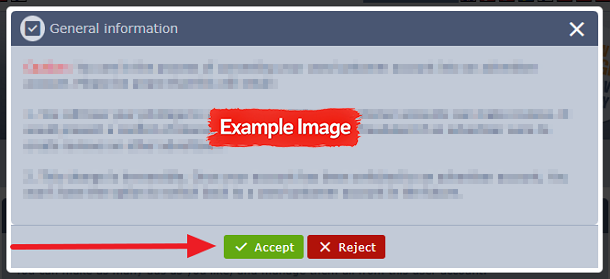
A popup with important information will appear. Read it carefully and accept.
Follow the on-screen guide, which will take you through each step of creating your ad on RealEscort Norway.
Interested in advertising on RealEscort and creating an ad? Here's how:
- You can use the same account login on all RealEscort sites.
Step 1
Start by creating a FREE user account. Use a valid email address, as you'll need to verify it before using the account. If you already have an account, skip to Step 3.
Click here to create a free user account.
Step 2
Log in to your new user account.
Step 3
Once logged in, click on "Dashboard", then "Create Ad". You can create multiple ads with one account.
A popup with important information will appear. Read it carefully and accept.
Follow the on-screen guide, which will take you through each step of creating your ad on RealEscort Norway.